Open the blue Index button
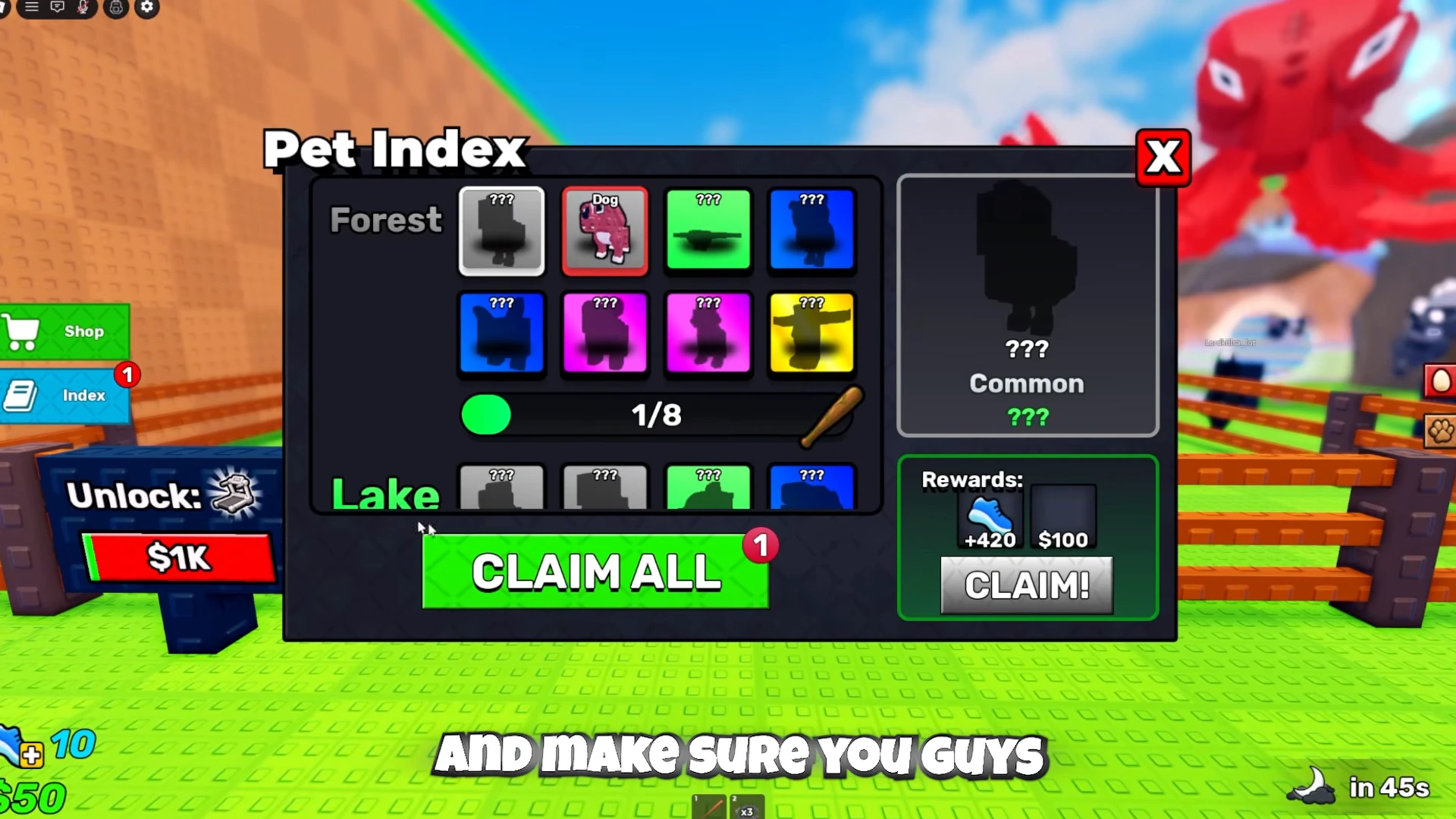
Use Index below Shop on the left side of the screen. In this example its red badge shows 1, and opening it brings up the Pet Index.

Recognize the pending claim
The Forest row shows Dog by name, while undiscovered entries appear as question-mark silhouettes. The green CLAIM ALL button at the bottom also has a 1 badge. This is the pending claim used in the sequence below.
Claim and confirm the result
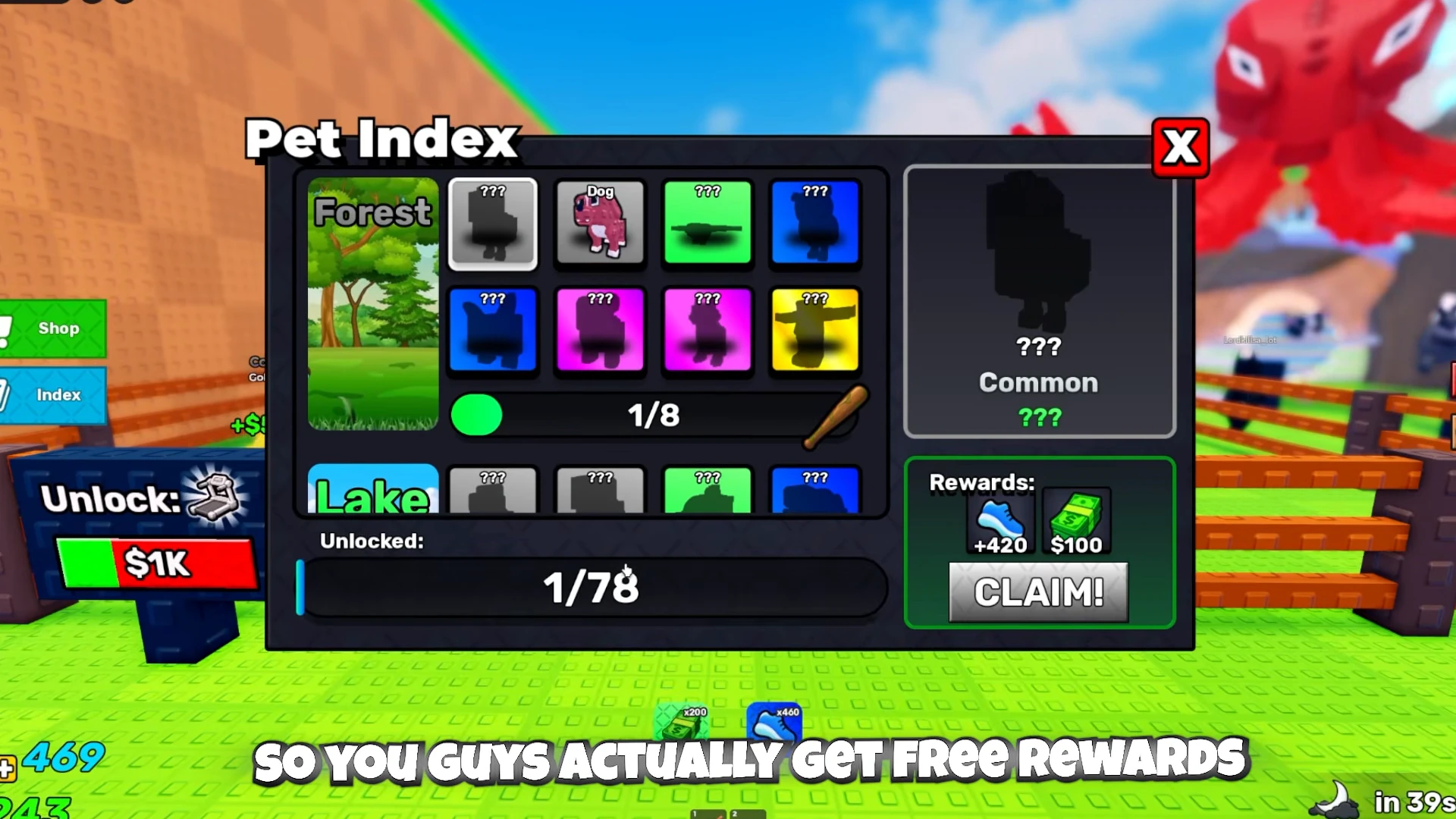
Press CLAIM ALL. The recorded click clears the badge and replaces the green button with the Unlocked collection bar. Cash and speed reward icons appear below the panel.
- Open Index and locate the green CLAIM ALL button.
- Press CLAIM ALL once to collect the pending reward.
- Check for the cleared badge and the reward icons before closing the menu.
Keep collection progress separate from rewards
The Forest count stays at 1/8 after the claim. The newly visible Unlocked bar reads 1/78 in this recording. Claiming the reward does not add a second discovered pet. These displayed totals belong to the captured build.
| Display | Read it as |
|---|---|
| Red 1 on CLAIM ALL | A pending reward in this example. |
| Forest 1/8 | Collection progress in the illustrated Forest row. |
| Cash x200 and speed x460 popups | The reward icons actually produced by this claim. |
| Right-hand question-mark preview | An undiscovered entry; its displayed +420 and $100 are not the Dog claim result. |
Complete the page before equipping its bat
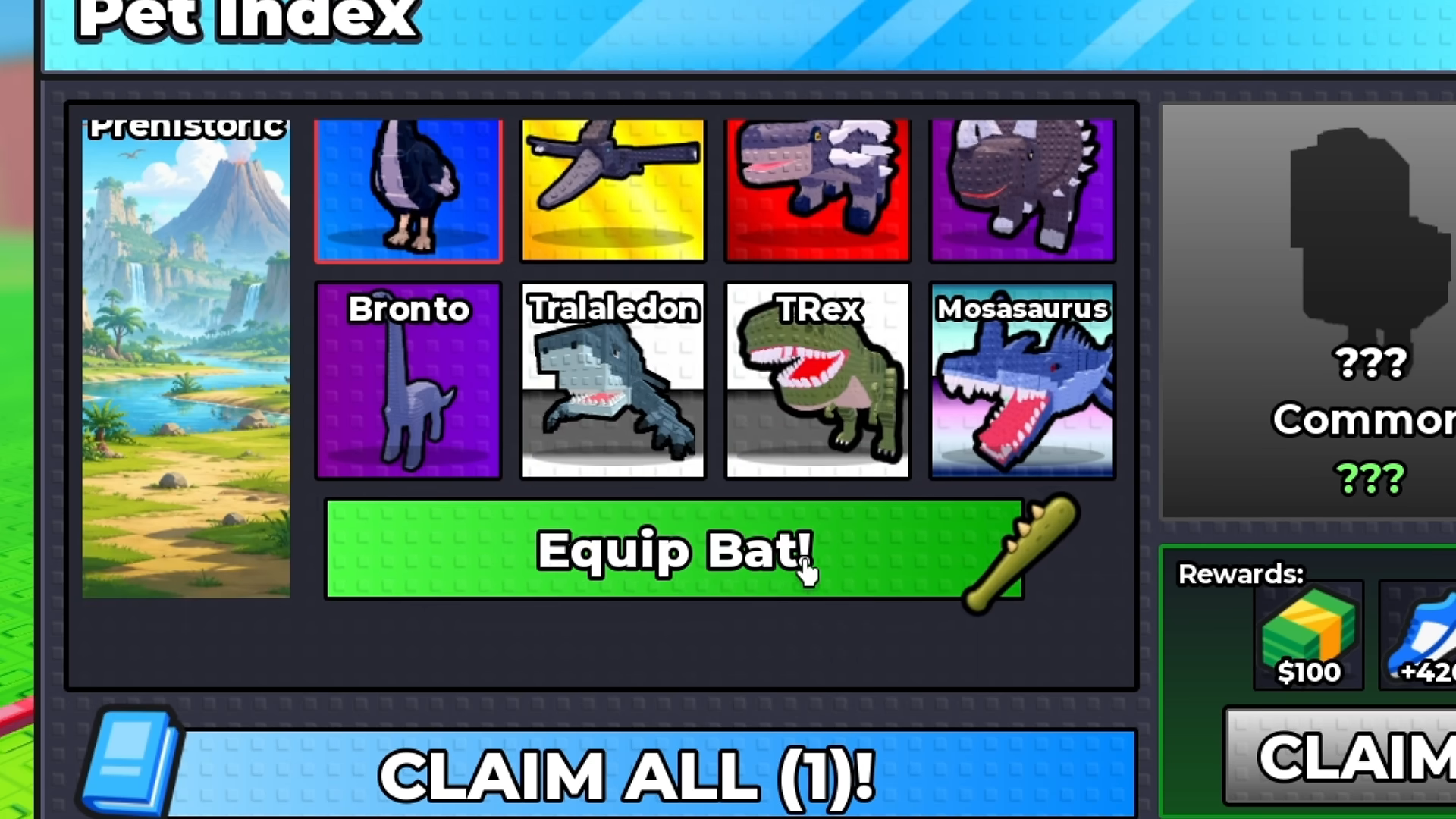
Scroll to the collection you are working on. A question-mark silhouette is a missing entry; its row count shows how far that page is from completion. The Prehistoric example starts at 7/8 with Dodo missing. After Dodo is obtained, all eight cards are visible and the bar becomes Equip Bat!.
Use that page’s Equip Bat! control. The separate CLAIM ALL (1)! button is still pending in this sequence, so collecting the individual reward is not an extra confirmation step for the bat.
- Open Index and scroll to the intended collection.
- Obtain the missing entry and reopen its page. In the example, Dodo completes Prehistoric.
- Press Equip Bat! on the completed collection’s own bar.
Confirm the bat selection
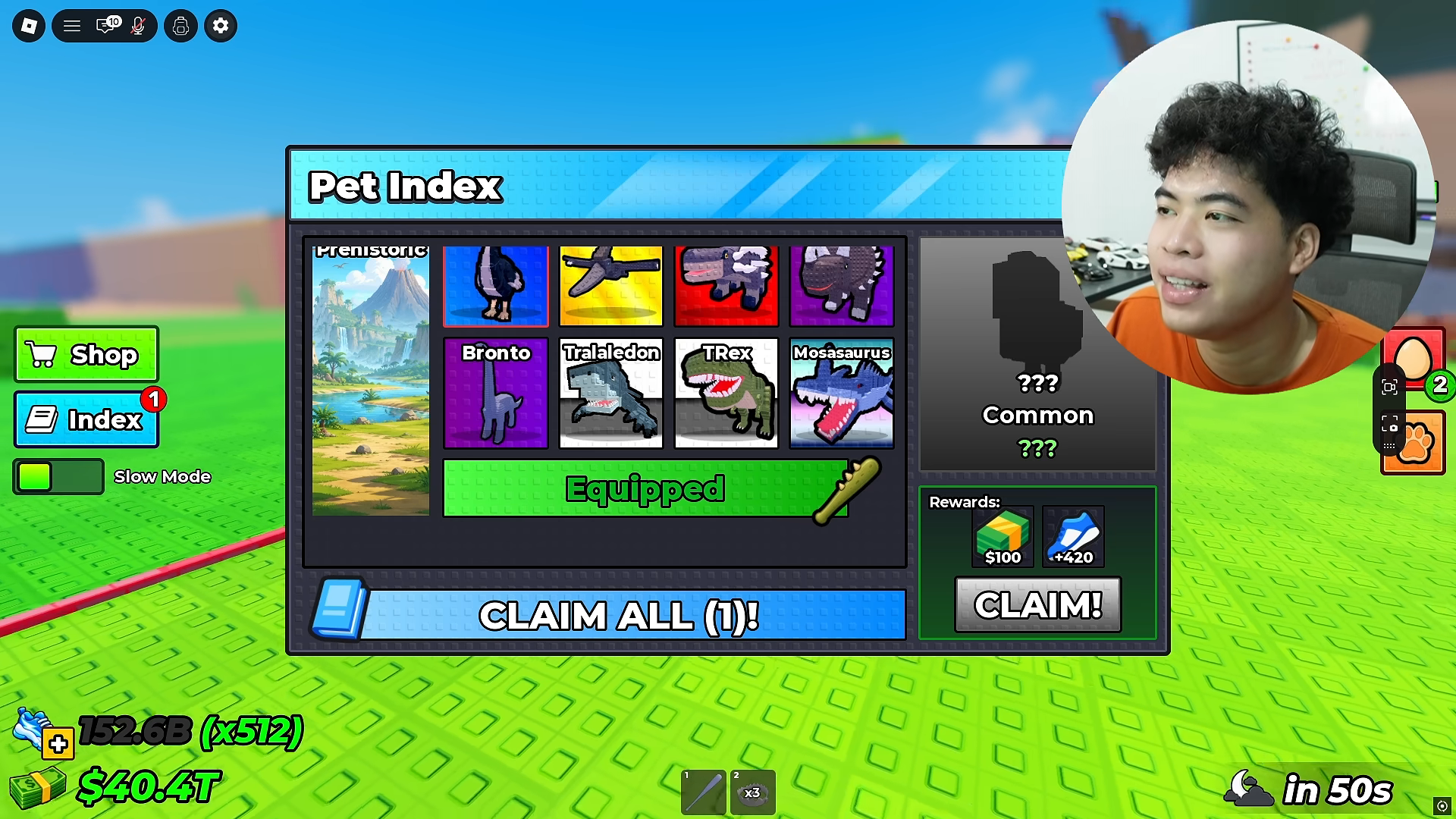
The page bar changes to Equipped. Close the menu and select the bat in the item bar to hold it. The recorded character then holds the newly selected bat.
Recognize the six-card weapon page
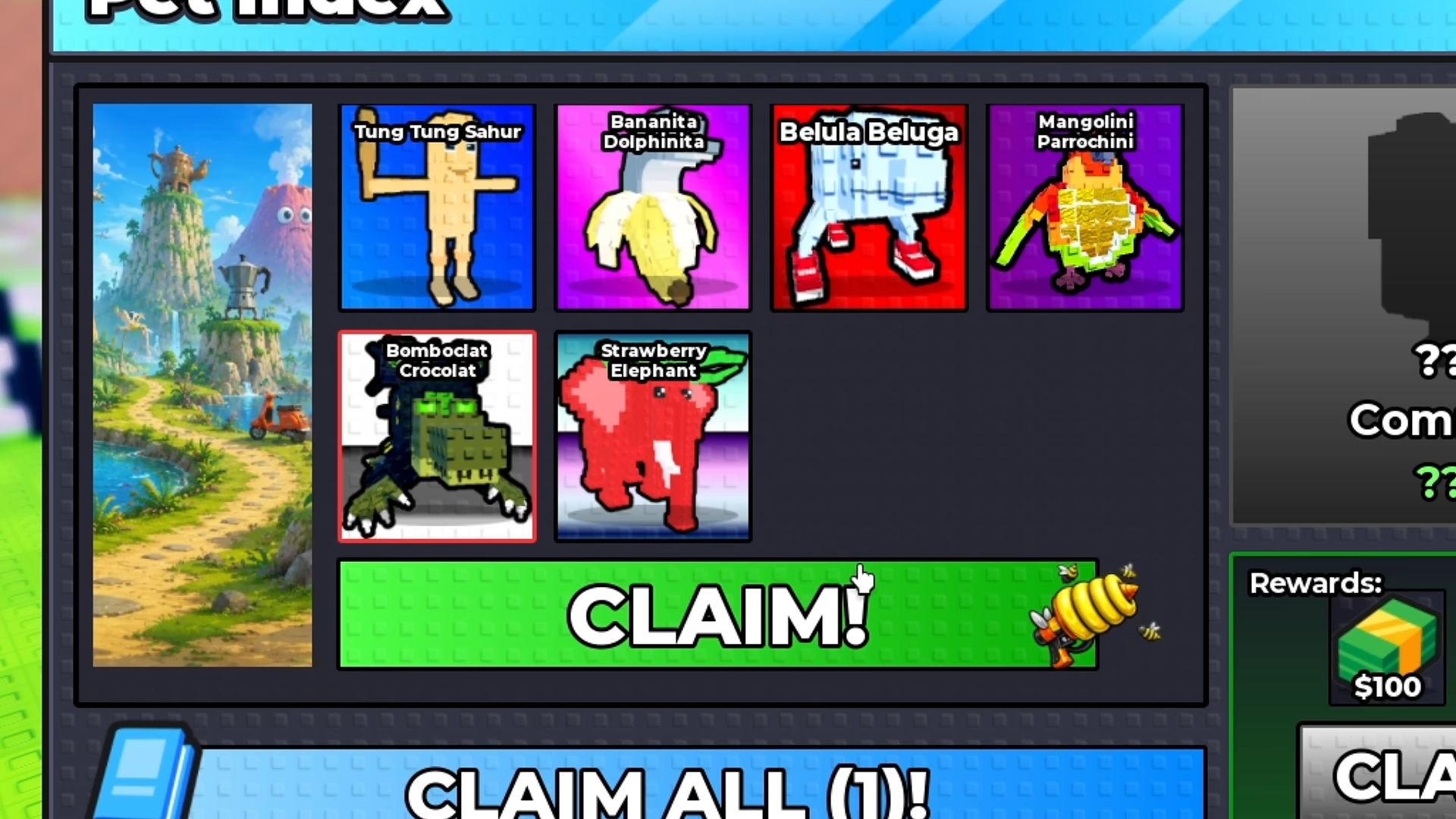
The six-card collection starts at 3/6 in this recording. Its three missing silhouettes later become named cards; the completed page then offers CLAIM! beside a yellow gun icon. The footage uses golden question-mark eggs offered in Shop to fill those remaining entries.
The Limited Egg / Brainrot Egg collection and its Bee Gun reward are the names used in All Things How’s guide. Here, match the six pictured cards and the weapon icon when locating that collection.
| Visible page | Completion and reward control |
|---|---|
| Prehistoric | Eight discovered cards; Equip Bat! changes to Equipped. |
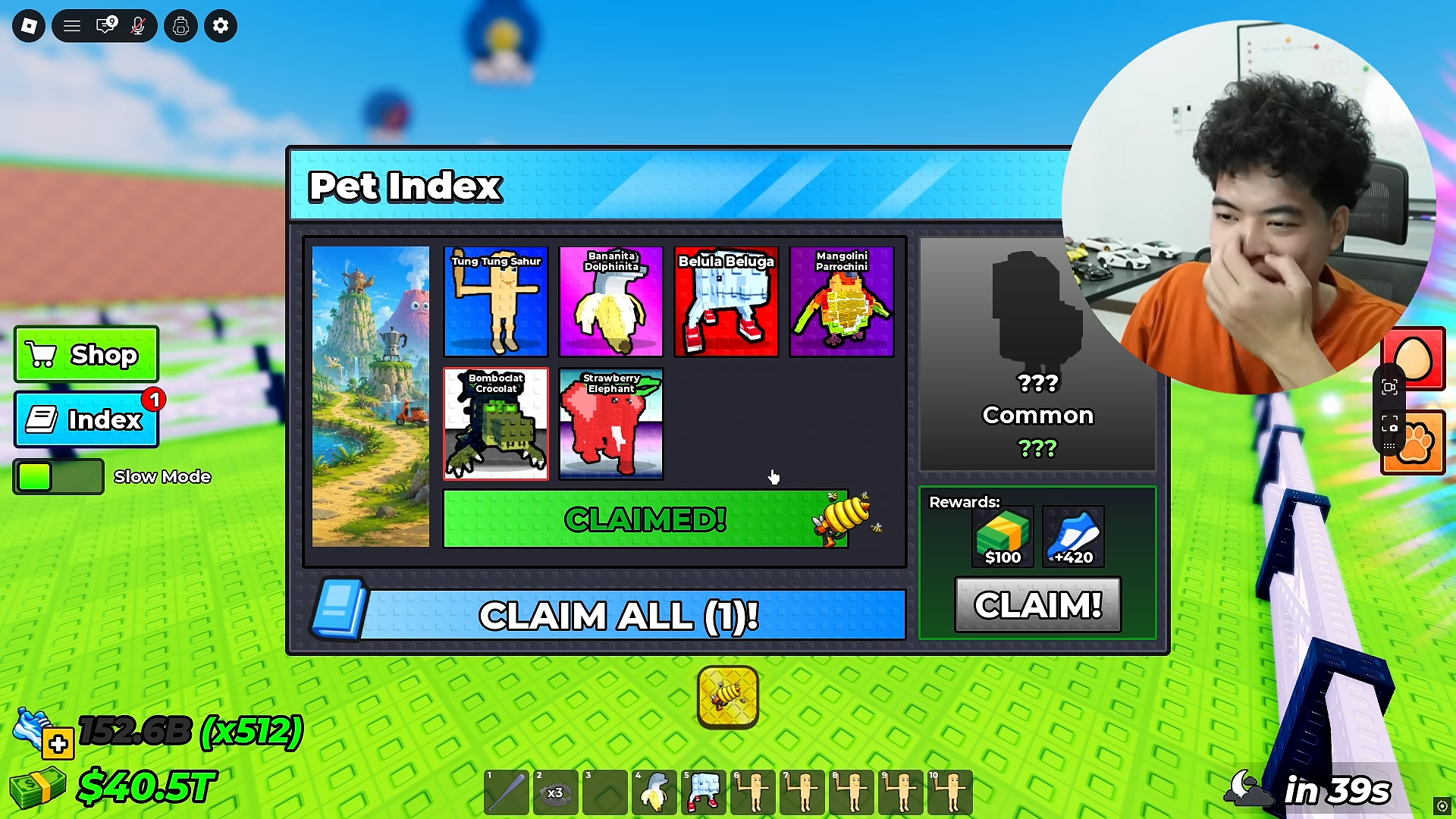
| Six-card collection with Strawberry Elephant | All six cards discovered; CLAIM! beside the yellow gun changes to CLAIMED!. |
Claim the page’s weapon
Press the page’s green CLAIM! bar beside the gun icon. It changes to CLAIMED!, and a yellow weapon reward icon appears below the panel. The CLAIM ALL (1)! control is still present: this click has claimed the collection weapon, not the separate pet reward.
Select the received item
Close Index and select the yellow gun icon in the item bar. It occupies slot 3 in this recording; use its icon to recognize it in your own loadout. The next view shows the character holding that weapon.

Recording context
The individual reward example was uploaded by CHALLS on August 14, 2026. JB Jumbo uploaded the page-completion recording on August 29, 2026. Neither identifies the game build. The pictured egg shop and six-card collection are dated examples; check availability before committing to a purchase.