A hatch is not the same as an active earner
The recording first shows a newly hatched Sand Spider while the active panel still lists the earlier lineup. The counter is seven out of seven. A full counter therefore does not tell you that the new hatch has replaced a weaker equipped pet.
Refresh the lineup
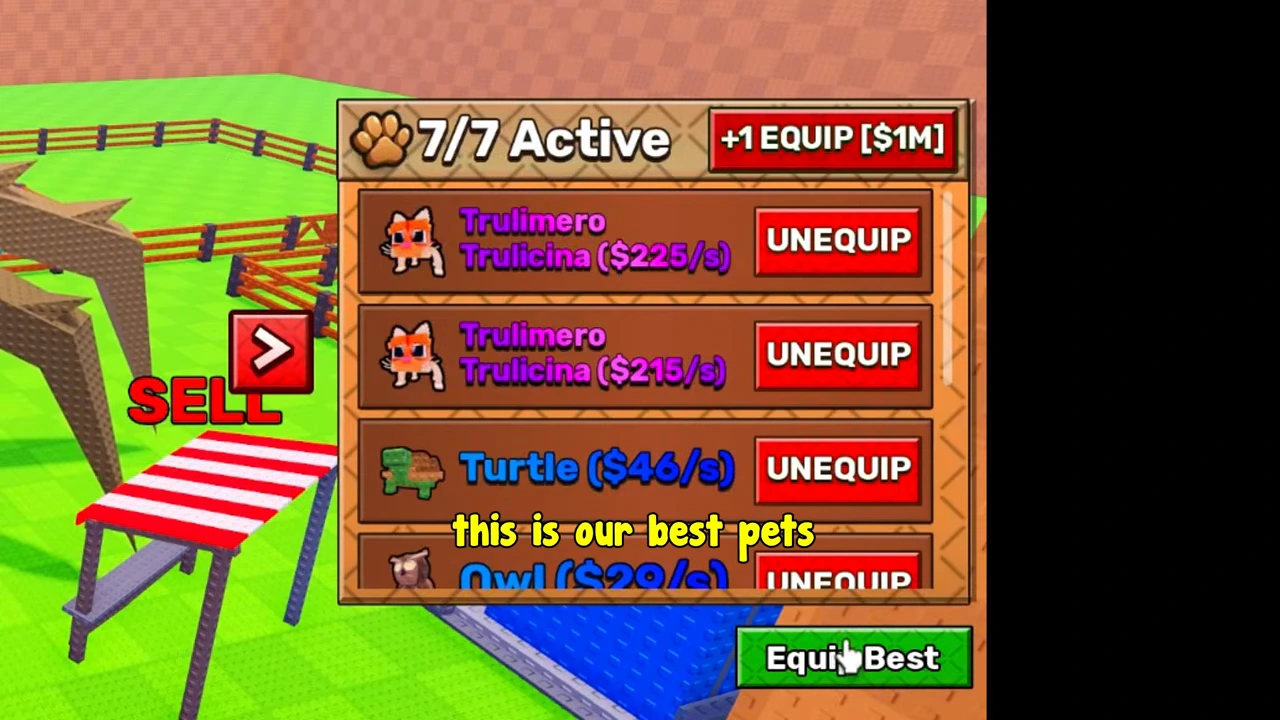
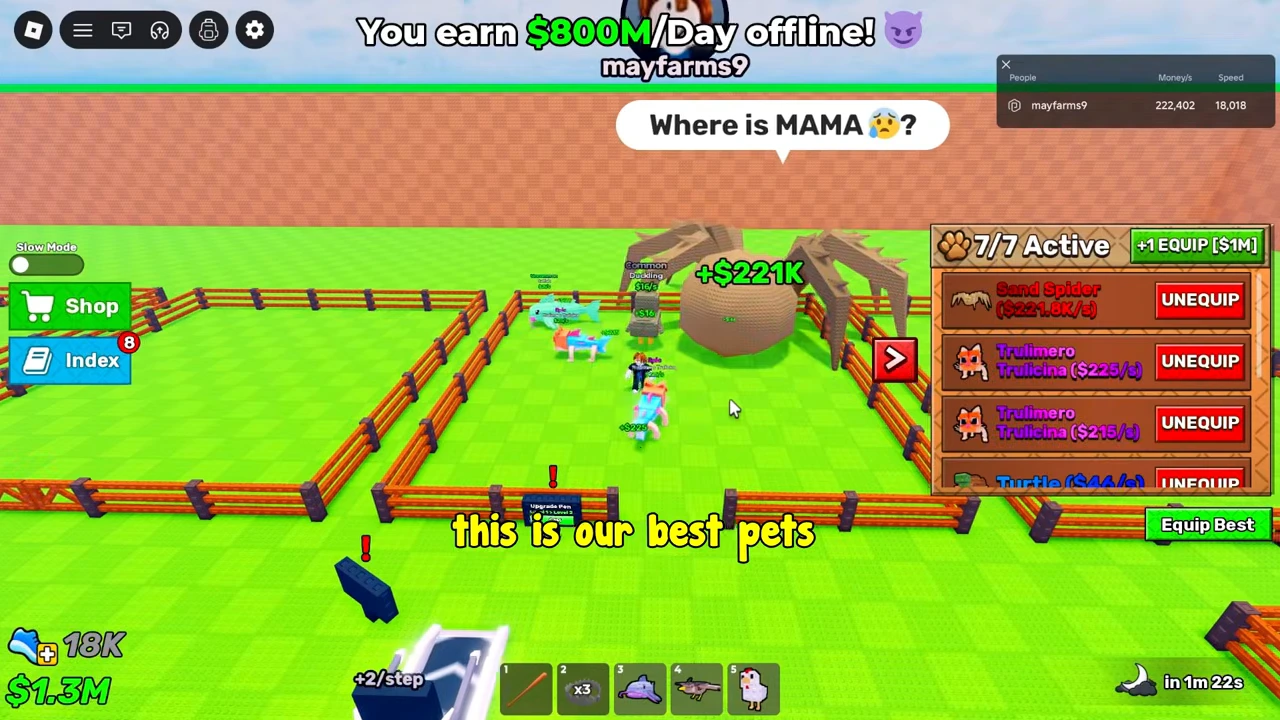
Open the right-side paw panel and select Equip Best. In the next observed state Sand Spider appears at the top, with an Unequip button and a listed rate of $221.8K/s; the counter remains seven of seven. The visible outcome is a substitution within existing capacity, rather than an extra slot purchase.
Use the count to choose your next action
Compare the number currently active with the capacity. A full lineup calls for comparing or refreshing its members. A spare slot calls for equipping an additional owned pet. If you need a higher capacity, the base-upgrade example shows a completed increase and its cost. Buying capacity alone does not fill it.
Read the correct kind of number
The pet-panel amounts are per-second rates. The wallet is an accumulated balance, while the banner above the pen is an offline estimate. They are not interchangeable. This video jumps forward between many scenes, so its wallet changes cannot establish a payback time or validate the advertised offline total. Compare the actual copies in your panel; this page does not assign one universal price or income to every Sand Spider.
Keep a session ledger for pets and sales
Use one start and finish time for the session you are comparing. Record the active pet lineup, its displayed rates, visible boosts and timers, and the starting wallet. Repeat those records at the finish. If a boost starts or expires midway, split the window or mark it mixed.
For a pet-only observation, do not sell eggs, claim rewards or make purchases during that window. Record the actual wallet change separately from the panel’s /s labels. If another cash event occurs, the mixed balance change cannot be assigned to one pet.
For an egg-sale session, keep each sale as a separate transaction with its quote, confirmation and observed cash receipt. Record any spending separately. Compare total session receipts over the same elapsed seconds, while retaining the sales subtotal; do not label that mixed total passive pet income.
| Same-window entry | Keep separate |
|---|---|
| Session boundaries | Start/end times, duration and wallet; do not use an edited video’s elapsed time. |
| Pet state | Active lineup and displayed /s at both ends; actual pet-only window result when isolated. |
| Egg transactions | Each confirmed sale receipt and its timestamp, not a standing offer. |
| Temporary effects | Visible boost and remaining time; unknown if not checked; flag changes within the window. |
| Other cash events | Purchases, rewards and unexplained changes; do not hide them inside pet income. |
Recording scope
These steps use game UI visible in a video uploaded August 20, 2026. Its edited jumps do not establish elapsed earning time, current prices, or an offline payout formula.