Use the pen sign
Approach the dark Upgrade Pen sign at the fence entrance. It shows the current level, next level and cash button. Read that displayed next level before buying; after a purchase the sign advances to the following offer.
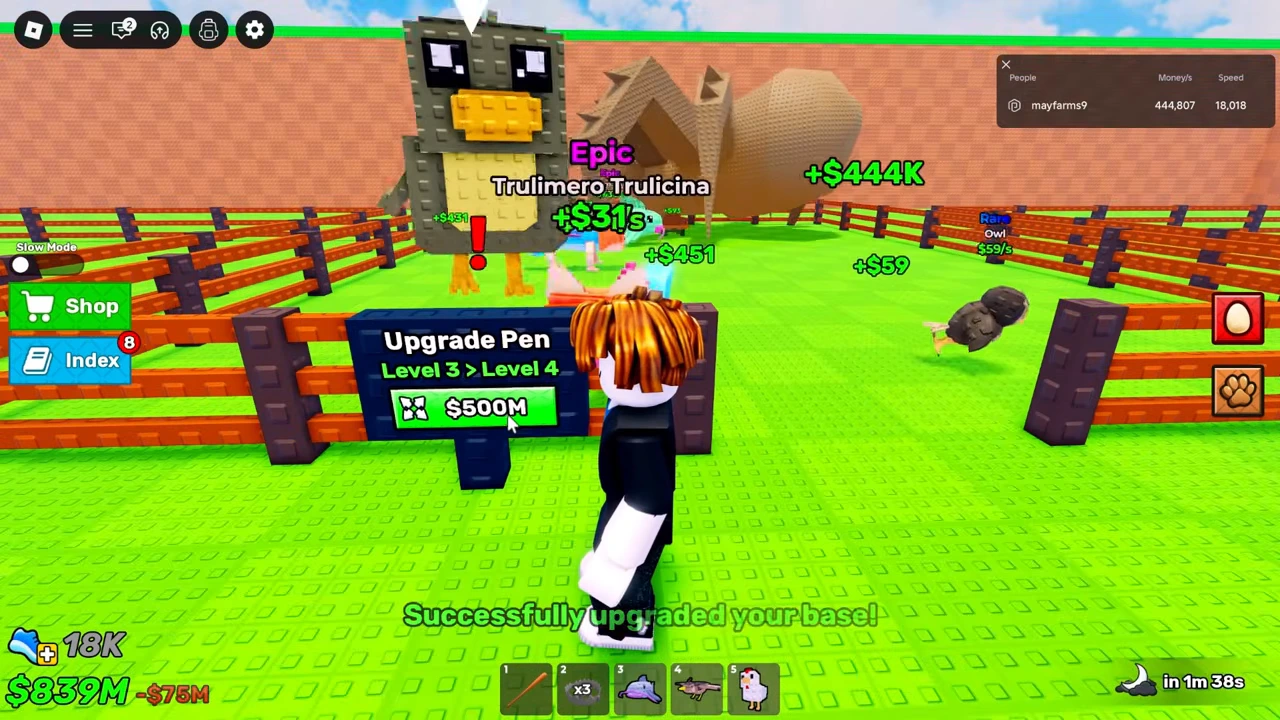
Four prices visible in the recording
These are dated menu observations, not a promised current maximum or complete upgrade table.
| Pen level change | Displayed price | Evidence state |
|---|---|---|
| 2 → 3 | $75M | Success message and $75M deduction seen |
| 3 → 4 | $500M | Next frame advances the sign to level four |
| 4 → 5 | $1B | Offer visible; that purchase not isolated |
| 5 → 6 | $50B | Success message and capacity change seen |
The base purchase can add a pet slot
Before the $50B purchase, the pet panel reads twelve active out of twelve. The pen sign offers level five to six, while the panel’s +1 EQUIP button shows the same price. After the pen purchase, the panel reads twelve out of thirteen and the next +1 EQUIP price becomes $500B. This observed change ties the base purchase to equip capacity; it should not be described as an unrelated decorative expansion.
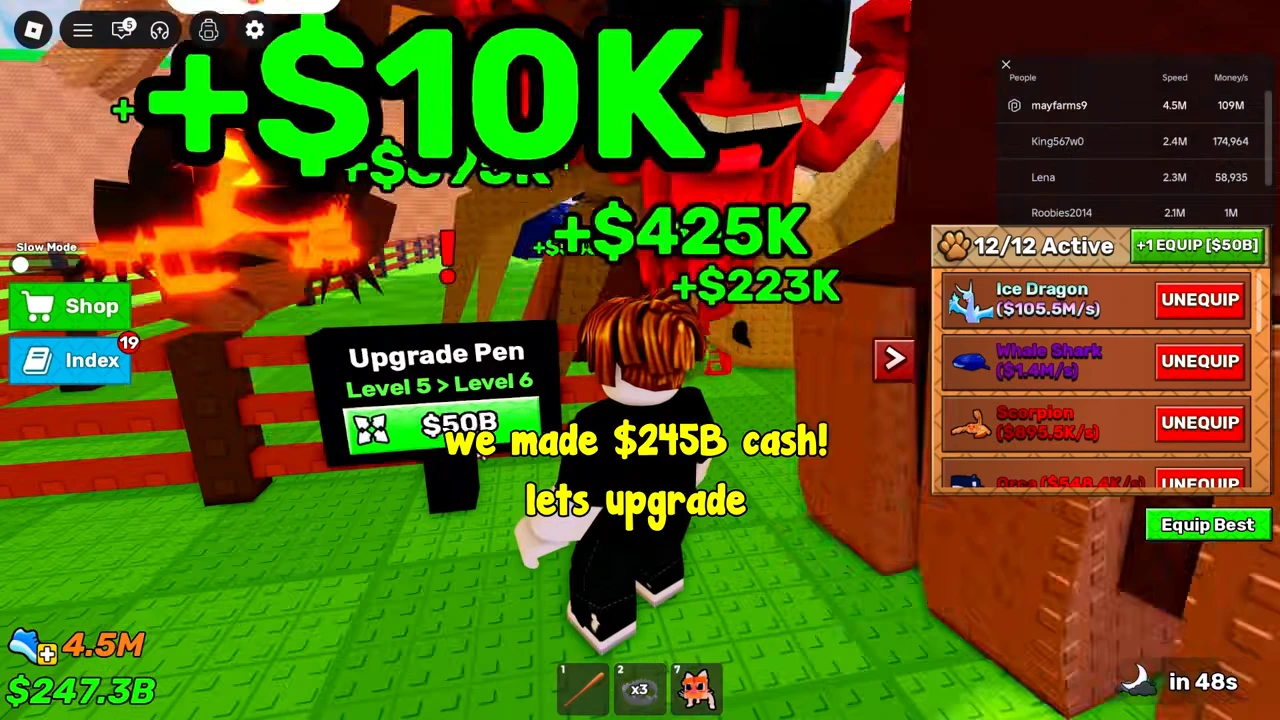
Fill the newly available space
A capacity purchase does not create a pet. The immediate result still shows twelve equipped with room for thirteen. Open the pet panel and use the available equip controls for a pet you already own. The income guide shows how Equip Best changes an existing lineup.
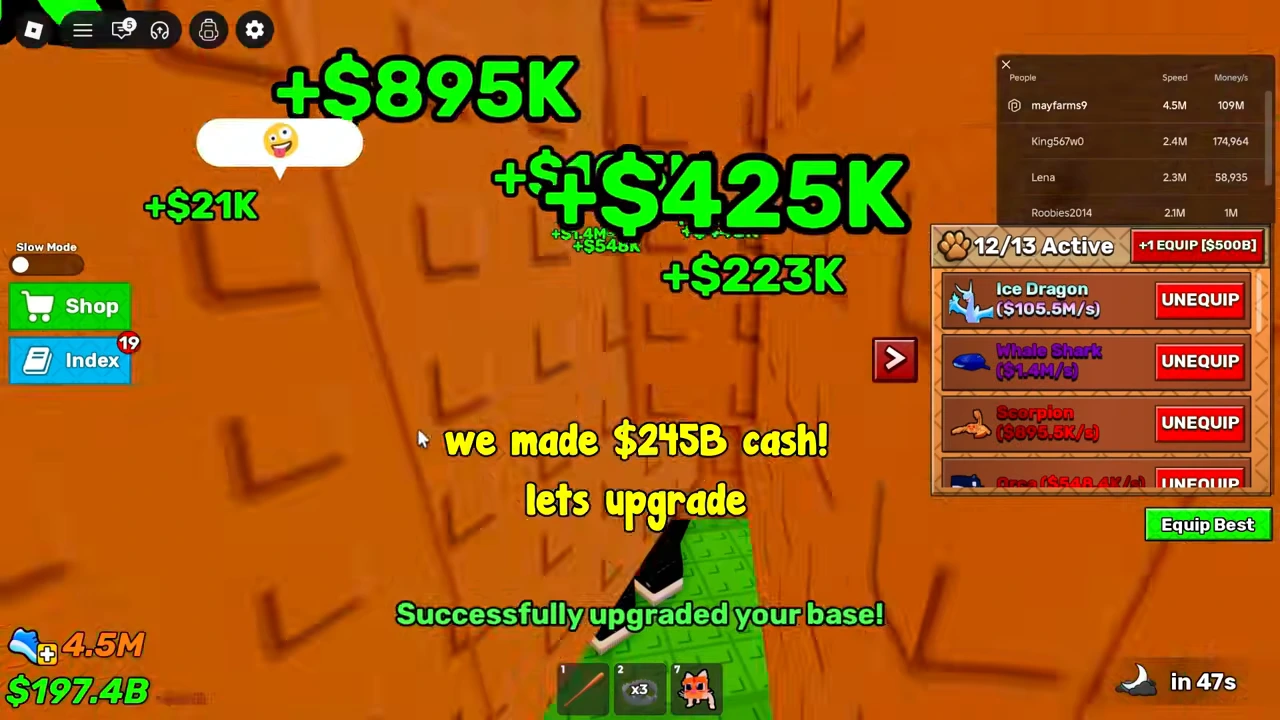
Recording scope
These steps use game UI visible in a video uploaded August 20, 2026. Its edited jumps do not establish elapsed earning time, current prices, or an offline payout formula.